Available Now · MSFS 2020 & 2024

Stop loading.
Start flying.

Relocate anywhere in Microsoft Flight Simulator without ever leaving your flight. Drop a pin, search any airport by ICAO, or jump into a 5-mile final at your favorite runway — the clock keeps ticking and you keep flying.

See Features
MSFS 2020 & 2024 Compatible
PC & Xbox Support
Works With Every Aircraft
In-Game Panel · No External Apps
Featured Product

FS Teleport — Instant Relocation

Built for the pilot who actually wants to fly. Spend less time loading, more time in the air — wherever the air happens to be.
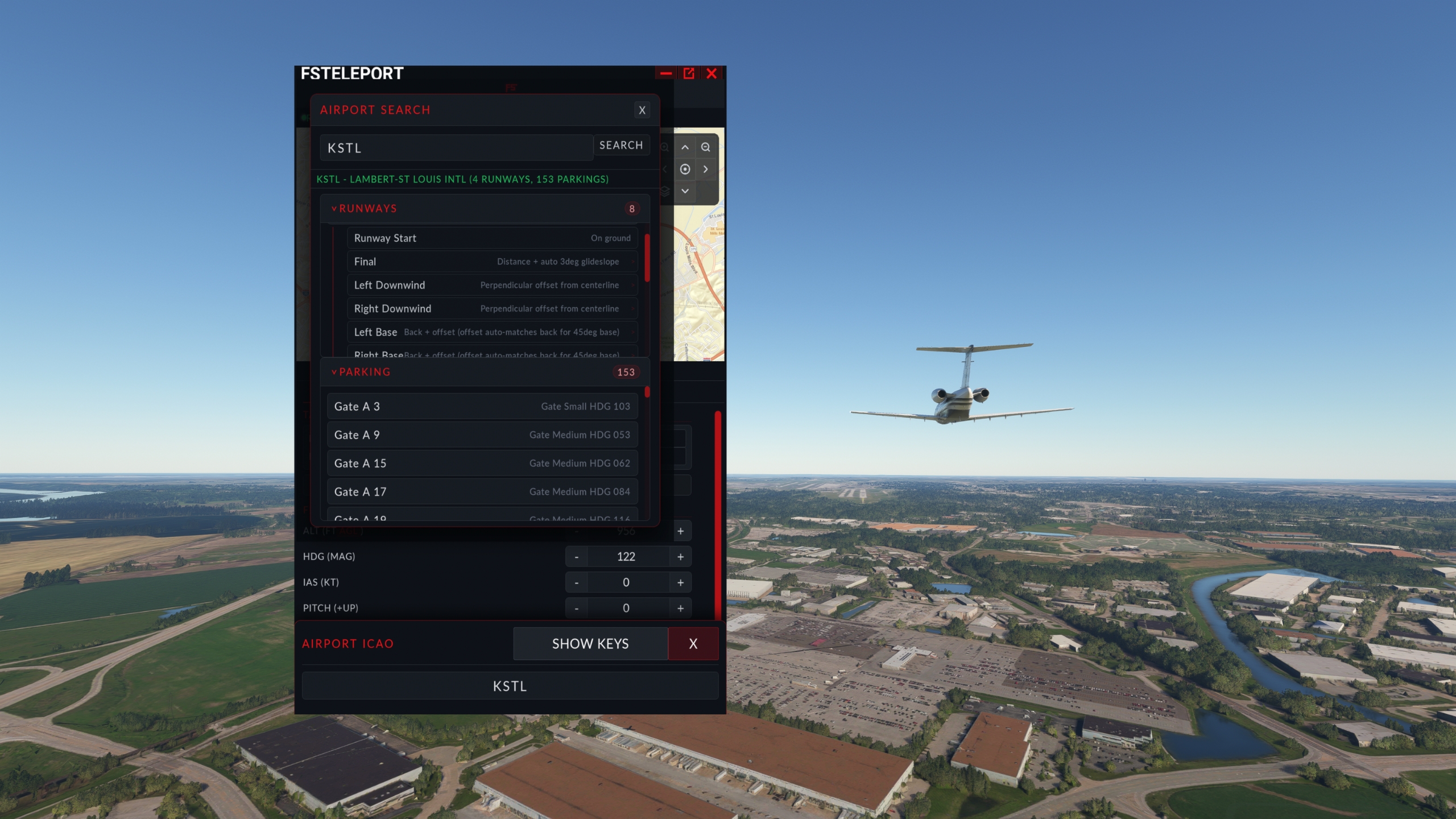
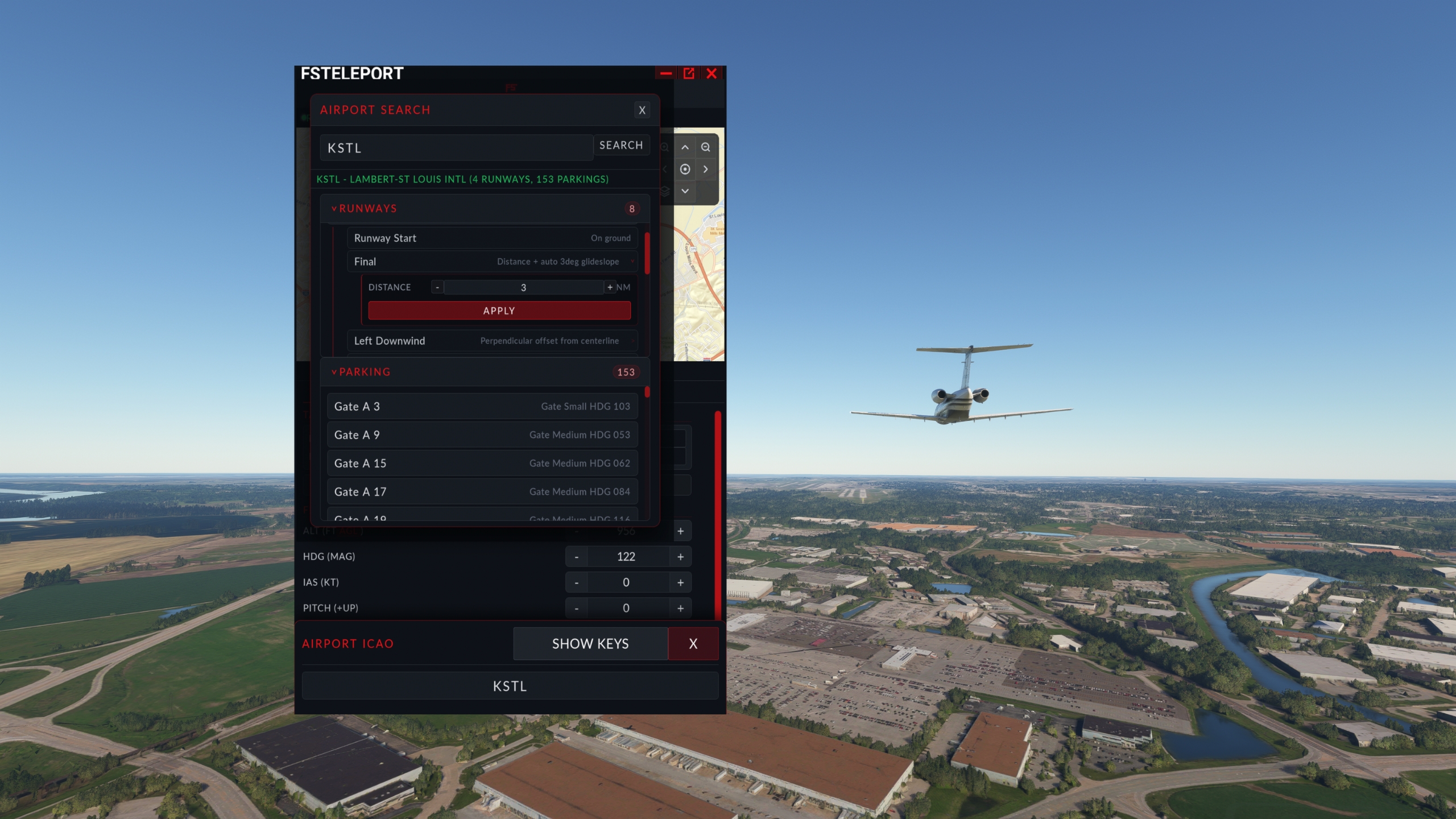
FS Teleport airport search showing KSTL gates and runways
FS Teleport · Live In-Sim Panel

FS Teleport

Available Now

Relocate anywhere — without ever leaving your flight.

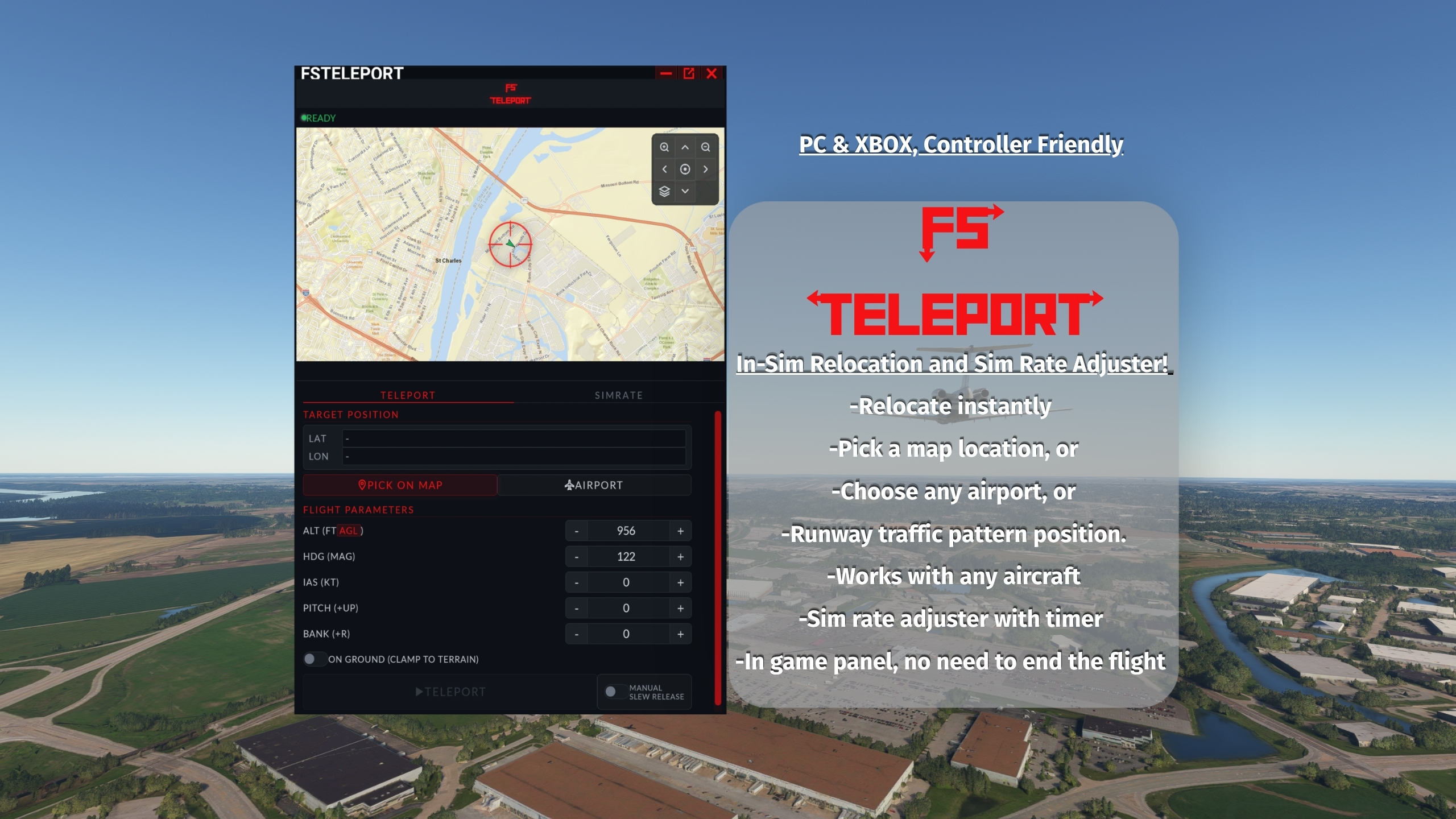
Sick of the load-screen shuffle every time you want to fly somewhere new? FS Teleport drops you wherever you want — instantly — without ending your flight, resetting weather, or losing time-of-day. Drop a pin on the map, search any airport by ICAO, or jump straight into a 5-mile final at your favorite runway.

Whether you're a student pilot grinding pattern work, a long-haul cruiser who'd rather not stare at the Atlantic for nine hours, or an Xbox flyer who just wants to explore the world without juggling menus — FS Teleport gets you there in seconds. Pick a position, set your speed and altitude, hit teleport. Slew releases automatically after a 10-second countdown, you take the controls, and the sim never skips a beat.

Built from the ground up for PC and Xbox, with a controller-friendly interface, on-screen keyboard, and one-tap presets. No plugins. No external apps. Just an in-sim panel that does exactly what it says.
Join Discord
Capabilities

Everything you need to skip the boring parts.

From pattern work to long-haul cruise, FS Teleport gives you precise control over where you are, how fast you're going, and when you take the stick.

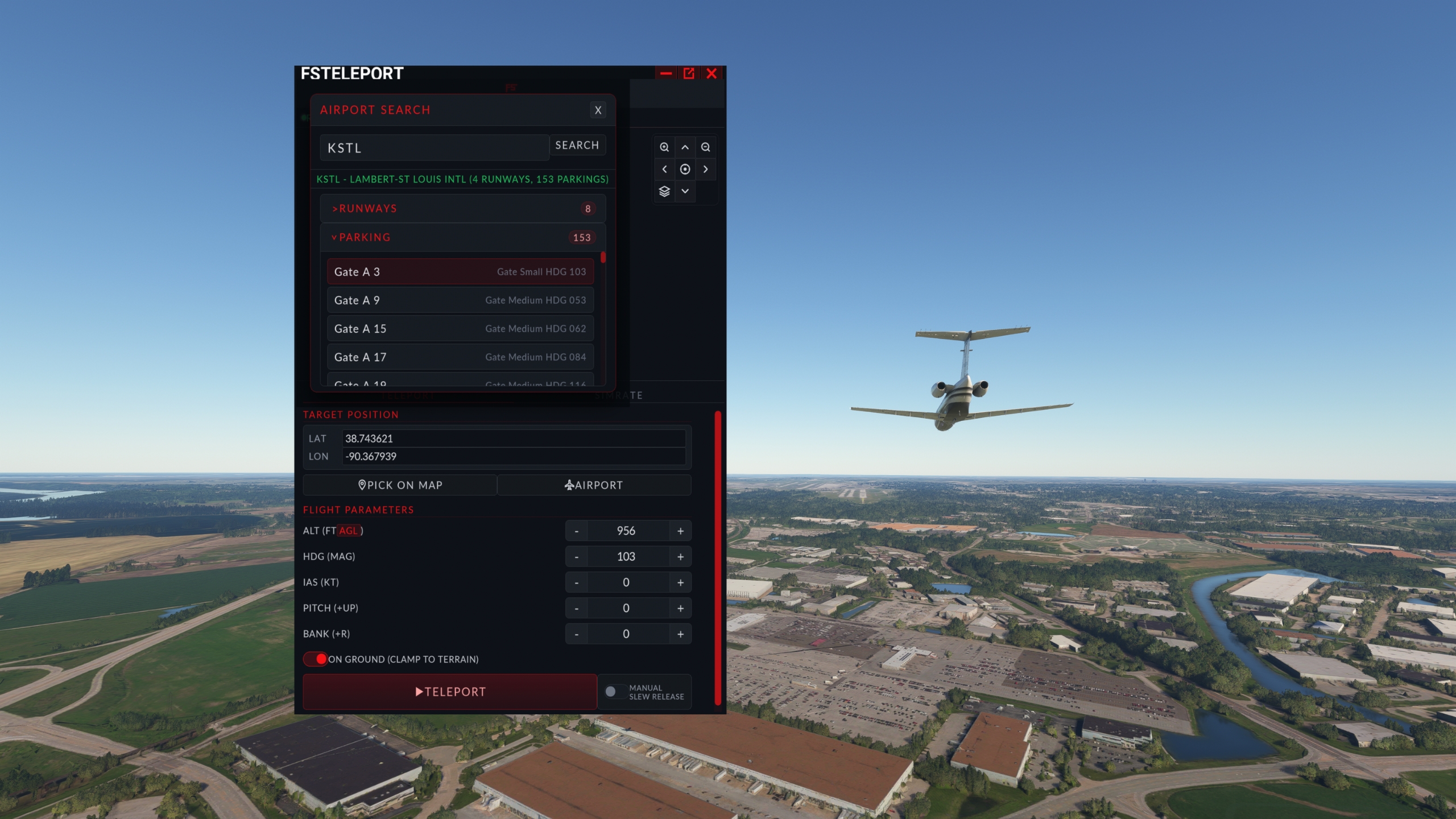
Pick on Map

Drop a pin anywhere on the planet to teleport there. Pan, zoom, click — that's the workflow.

Airport Search

Type any ICAO code and instantly browse every runway and every parking spot at that airport.

One-Tap Pattern

Runway Start, Final, Left/Right Downwind, Left/Right Base — with auto 3° glideslope altitude.

Tunable Distances

Every pattern position is fully adjustable — final distance, downwind offset, base back/offset.

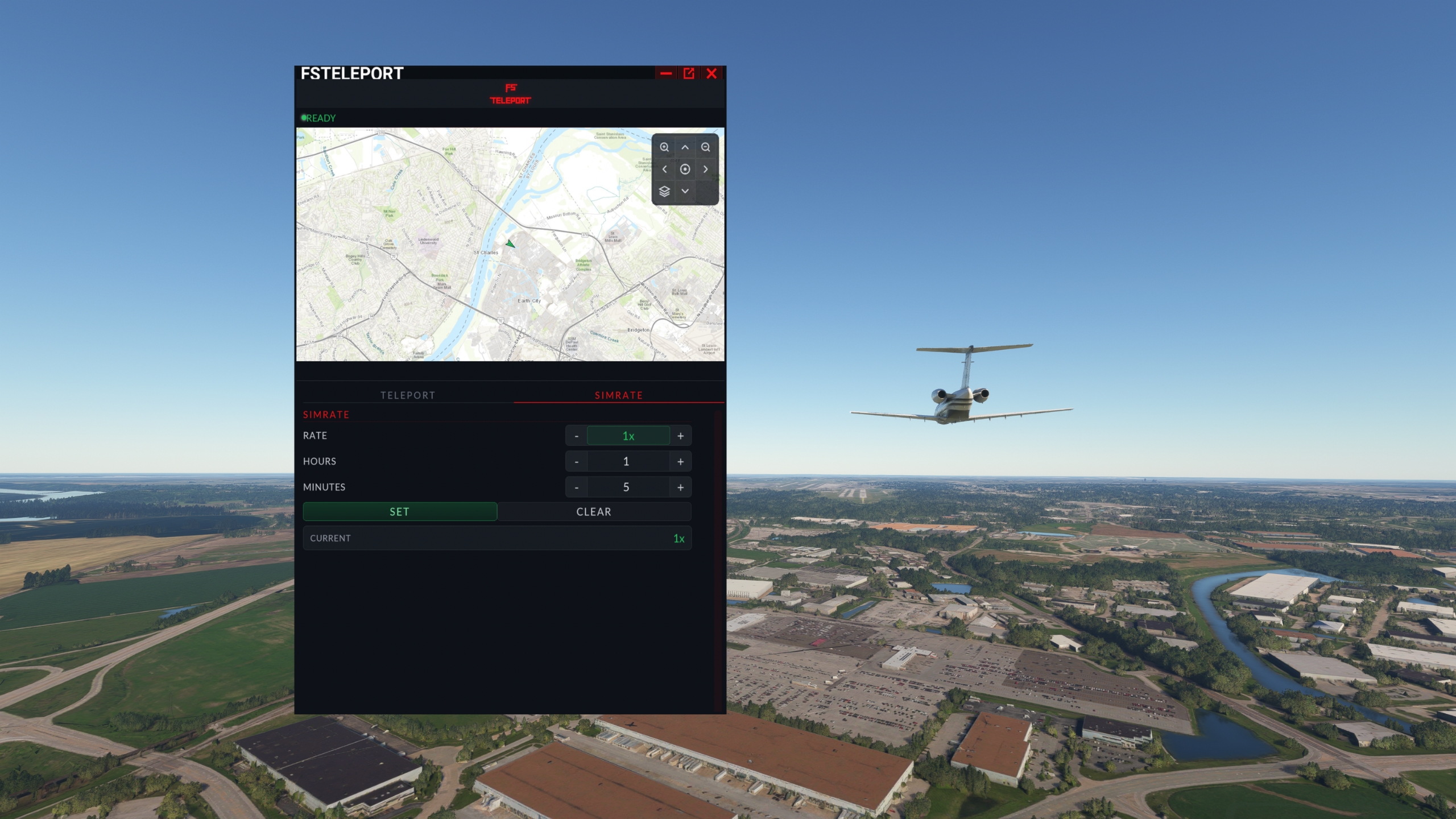
Sim Rate Adjuster

Speed up the boring parts with a built-in timer. Sim auto-returns to 1× when you're done.

Flight Parameters

Set IAS, altitude (AGL or MSL), heading, pitch, and bank — fine-tune your reposition exactly.

Xbox & Controller

Built from the ground up for gamepad input with an on-screen keyboard for any text field.

Manual Slew Release

Toggle on to inspect the new position before resuming flight, or let the 10-second countdown release for you.

Works With Anything

GA, airliner, helicopter, glider, military — every aircraft, no special configuration required.

Screenshots

A look at the panel.

FS Teleport runs inside MSFS as an in-game panel. No alt-tabbing, no external windows, no fuss.

Spend less time loading. Spend more time flying.

FS Teleport is available now on simMarket for both MSFS 2020 and 2024.

Join Discord
Get FS Teleport
Release status across platforms
simMarket
Available Now
Buy Now
MSFS 2024 Marketplace
Coming Soon
In review
simMarket
Available Now
Buy Now
MSFS 2020 Marketplace
Coming Soon
In review